

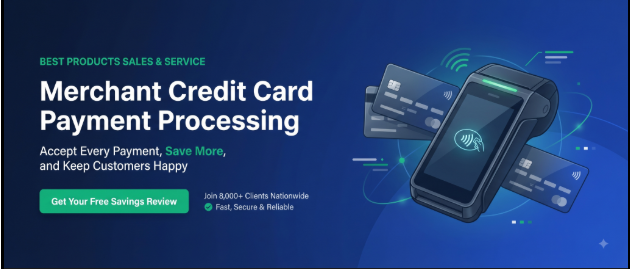
Businesses need reliable ways to accept payments, protect customer information, and keep sales moving. From neighborhood retailers to growing service companies, checkout affects customer experience and daily cash flow. Merchant services payment processing connects a business’s payment terminal or online checkout with the financial institutions that authorize and settle card transactions. Choosing a setup involves more than comparing transaction rates. Businesses should also understand equipment options, security responsibilities, settlement timing, reporting tools, and available support. Knowing these factors makes it easier to select a system that fits daily operations throughout the business.
Understand How Card Transactions Work
A card payment moves from the customer’s card or digital wallet through the terminal or payment gateway to the processor. The processor routes the request through the card network to the issuing bank, which checks the account and returns an approval or decline.
Authorization is separate from settlement. Approved transactions are collected into batches for clearing, then funds move through the banking system to the merchant’s account. The provider’s schedule and any applicable holds can affect deposit timing. Understanding this sequence helps owners investigate delayed or missing payments.
Choose a Setup That Matches Your Sales Channels
The right equipment depends on how customers pay. A storefront may need a countertop terminal, while a mobile business may benefit from a portable device with a secure wireless connection. Companies that take payments over the phone or through a website need a suitable virtual terminal or online gateway.
Before selecting merchant services payment processing, map the ways customers buy from the business and consider future channels. A restaurant may need terminals at the counter and handheld devices for tables. A professional service provider may need to send invoices with a secure payment link. The goal is to make payment convenient without adding unnecessary steps for staff or customers.
Check Compatibility and Payment Features
Modern payment terminals can support several ways to pay, including EMV chip cards, magnetic-stripe cards, and contactless transactions. Contactless payments may come from a tap-enabled card or a digital wallet on a phone or watch. Businesses should confirm which methods a device accepts and whether it integrates with their point-of-sale software.
Integration can reduce manual entry and simplify reconciliation by keeping sales and payment records aligned. Ask whether the equipment supports refunds, tips, receipts, or recurring billing. Choose features that reflect actual checkout needs.
Review Fees, Contracts, and Settlement
Processing costs can include per-transaction charges, monthly account fees, equipment costs, chargeback fees, and other service charges. Request a written breakdown and check how card types and transaction methods are priced.
When comparing merchant services payment processing providers, ask when funds are deposited, how weekends and holidays affect timing, and what happens when a transaction is flagged for review. Compare total costs and service terms rather than choosing solely on the lowest advertised rate.
Make Security Part of the Process
Payment security requires a combination of reliable technology and responsible business practices. Use equipment and software that meet current security requirements, restrict employee access, and install regular updates. Train staff to recognize suspicious transactions and avoid storing card details unnecessarily.
PCI DSS applies to businesses that store, process, or transmit payment card data. Depending on the payment environment, encryption, tokenization, address verification, and security code checks can help reduce fraud risks. Regularly reviewing security procedures is also essential, as no single measure can prevent every payment threat.
Use Reporting and Support to Improve Operations
Payment reports help owners reconcile deposits, track sales, and identify refunds or unusual patterns. Compare processor statements with POS records and bank deposits, and investigate differences promptly.
Reliable support matters when terminals stop connecting or deposits do not match expectations. Before signing, check support hours, technical assistance options, and whether replacement equipment or on-site service is available.
Conclusion
A suitable payment system should fit current sales channels while leaving room for business changes. Review equipment compatibility, security practices, processing costs, settlement schedules, and ongoing support before making a decision. Businesses comparing providers can include Best products sales & service in their research and assess its payment solutions against their operational requirements.