

Receiving approval for your Goods and Services Tax (GST) registration is a major milestone for any Indian business. However, getting your 15-digit Goods and Services Tax Identification Number (GSTIN) is only the starting line. Under the Central Goods and Services Tax (CGST) Act and Rules, registration triggers immediate legal, operational, and compliance obligations. Missing even one early requirement can lead to heavy monetary penalties, blocked Input Tax Credit (ITC), or registration suspension.
Completing your gst certificate download (Form GST REG-06) from the official portal gives you the official proof of registration, yet many new business owners file the PDF away and assume their compliance work begins at the end of the month. In reality, several rules take effect from day one. Here are the five mandatory things you must do immediately after securing your GST certificate to protect your business and keep your operations compliant.
-
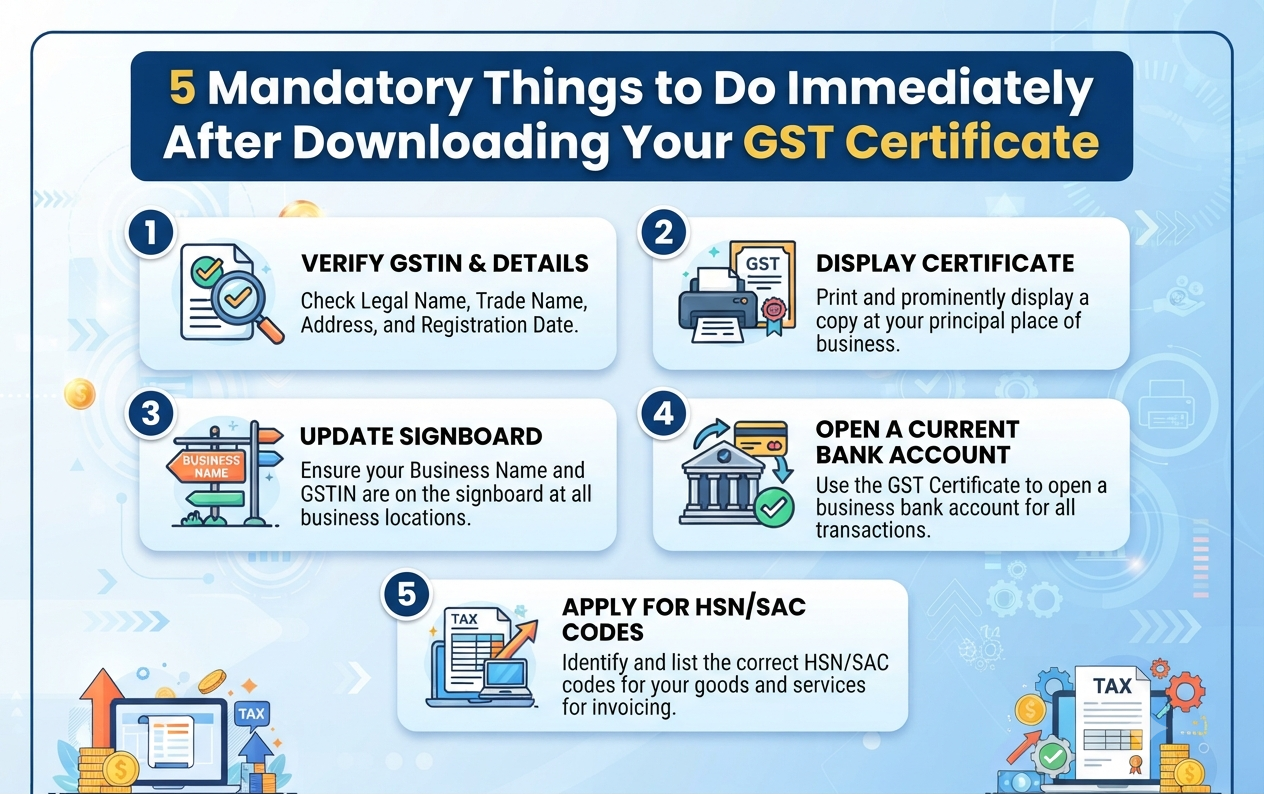
Display Your GSTIN and Certificate at Your Business Premises
Under Rule 18 of the CGST Rules, 2017, physical display of your registration credentials is not optional—it is a strict statutory requirement. Tax officers frequently conduct physical verifications, and failing to display these details properly can attract a general penalty of up to ₹25,000.
- Print and Frame Form GST REG-06: Print a clear copy of your registration certificate and display it in a prominent, easily visible location inside your principal place of business. If you operate out of warehouses, branches, or additional places of business listed on the certificate, you must display a copy at every single location.
- Update Your Entrance Signboard: Every registered business must display its 15-digit GSTIN on the name board placed at the entrance of its principal place of business and all additional branches.
- Add Composition Scheme Disclosures (If Applicable): If you have opted for the GST Composition Scheme, you must explicitly mention the words “Composition Taxable Person, not eligible to collect tax on supplies” on every notice or signboard displayed at your premises.
-
Link Your Business Bank Account on the GST Portal
When you apply for GST registration, the portal allows you to submit your application without immediately providing bank account details. However, under Rule 10A of the CGST Rules, you are legally required to furnish your valid business bank account details within 30 days from the date of grant of registration, or before the due date of furnishing your first GSTR-1 return, whichever is earlier (note: historical timelines of 45 days were tightened under updated CGST rules).
- Open a Dedicated Current Account: If you are a proprietor who registered using a personal savings account or do not yet have a business account, take your printed GST certificate and KYC documents to a bank immediately to open a current account in the exact legal or trade name shown on your certificate.
- File a Non-Core Amendment: Log in to the GST portal, navigate to Services > Registration > Amendment of Registration Non-Core Fields, and enter your bank account number, IFSC code, and account type.
- Upload Supporting Proof: Attach a scanned copy of a personalized cancelled cheque bearing the business name, or the first page of your bank passbook/statement, and verify the submission using an Electronic Verification Code (EVC) or Digital Signature Certificate (DSC).
Failing to update your bank details within the stipulated window leads to automatic suspension of your GSTIN and blocks you from filing outward supply returns.
-
Overhaul Your Invoicing Format and Billing Software
From the effective date of registration mentioned on your certificate, you are legally authorized—and obligated—to issue GST-compliant tax invoices for all taxable supplies. Old non-GST bill books or generic receipt templates are no longer valid and will prevent your B2B buyers from claiming Input Tax Credit.
- Include All Mandatory Fields: Ensure your invoice template displays your legal name, trade name, address, 15-digit GSTIN, a unique consecutive serial number (not exceeding 16 characters for the financial year), invoice date, customer details (including recipient GSTIN for B2B sales), HSN/SAC codes, taxable value, and a clear split of CGST, SGST/UTGST, or IGST.
- Configure Place of Supply Rules: Train your billing team or configure your accounting software to apply CGST + SGST for intra-state sales (within the same state) and IGST for inter-state sales (outside the state).
- Check E-Way Bill and E-Invoicing Readiness: If you ship goods valued above ₹50,000, register on the E-Way Bill portal immediately so you can generate transit permits before moving stock. Additionally, verify whether your aggregate annual turnover crosses the government-mandated threshold for mandatory e-invoicing.
-
Claim Input Tax Credit on Pre-Registration Closing Stock
Many newly registered businesses overlook a valuable tax benefit available during their first month: claiming Input Tax Credit on unsold inventory held immediately before the date they became liable to pay tax. Under Section 18(1) of the CGST Act, you can recover the GST already paid on raw materials, semi-finished goods, and finished goods sitting in your stockroom.
- Conduct a Physical Stock Audit: Count and value all closing stock held on the day immediately preceding the effective date of your GST registration.
- Gather Purchase Invoices: Collect original GST-compliant tax invoices from your suppliers for all goods included in that closing stock (invoices must not be older than one year).
- File Form GST ITC-01: Submit the electronic declaration in Form GST ITC-01 on the GST portal within 30 days from the date you become eligible to claim the credit (the date of grant of registration). If your claim exceeds ₹2 lakh, you will also need a certificate from a practicing Chartered Accountant or Cost Accountant.
-
Share Your GSTIN With Key Stakeholders and Set a Return Calendar
Your GST registration impacts every financial relationship your business maintains. Updating external partners immediately prevents tax mismatches and lost credits later.
- Notify Vendors and Service Providers: Share your GSTIN with every supplier, landlord, telecom provider, software vendor, and logistics partner so they record your GSTIN on all future purchase invoices. Without your GSTIN on their B2B filings, those invoices will not reflect in your GSTR-2B statement, costing you eligible Input Tax Credit.
- Update Marketplaces and B2B Clients: Upload your certificate to e-commerce seller panels (such as Amazon, Flipkart, or Shopify) and update corporate client vendor portals before raising your next bill.
- Mark Monthly/Quarterly Filing Dates: Confirm whether you fall under the regular monthly filing schedule or the Quarterly Return Monthly Payment (QRMP) scheme. Remember that GST returns—such as GSTR-1 and GSTR-3B—must be filed even if your business had zero sales during a tax period (Nil Returns) to avoid daily late fees.
Before sharing your credentials with vendors or banks, double-check that every detail on your certificate—from spelling to state codes—is completely accurate. Keep both a printed copy at your office and a digital backup on your devices for quick verification during vendor onboarding or inspections. Note that while third-party portals often advertise options to download gst certificate without login, the official GST portal requires authenticated taxpayer credentials to download the complete Form GST REG-06, though anyone can verify your active registration status and basic taxpayer details publicly using the “Search Taxpayer” tool by GSTIN.